
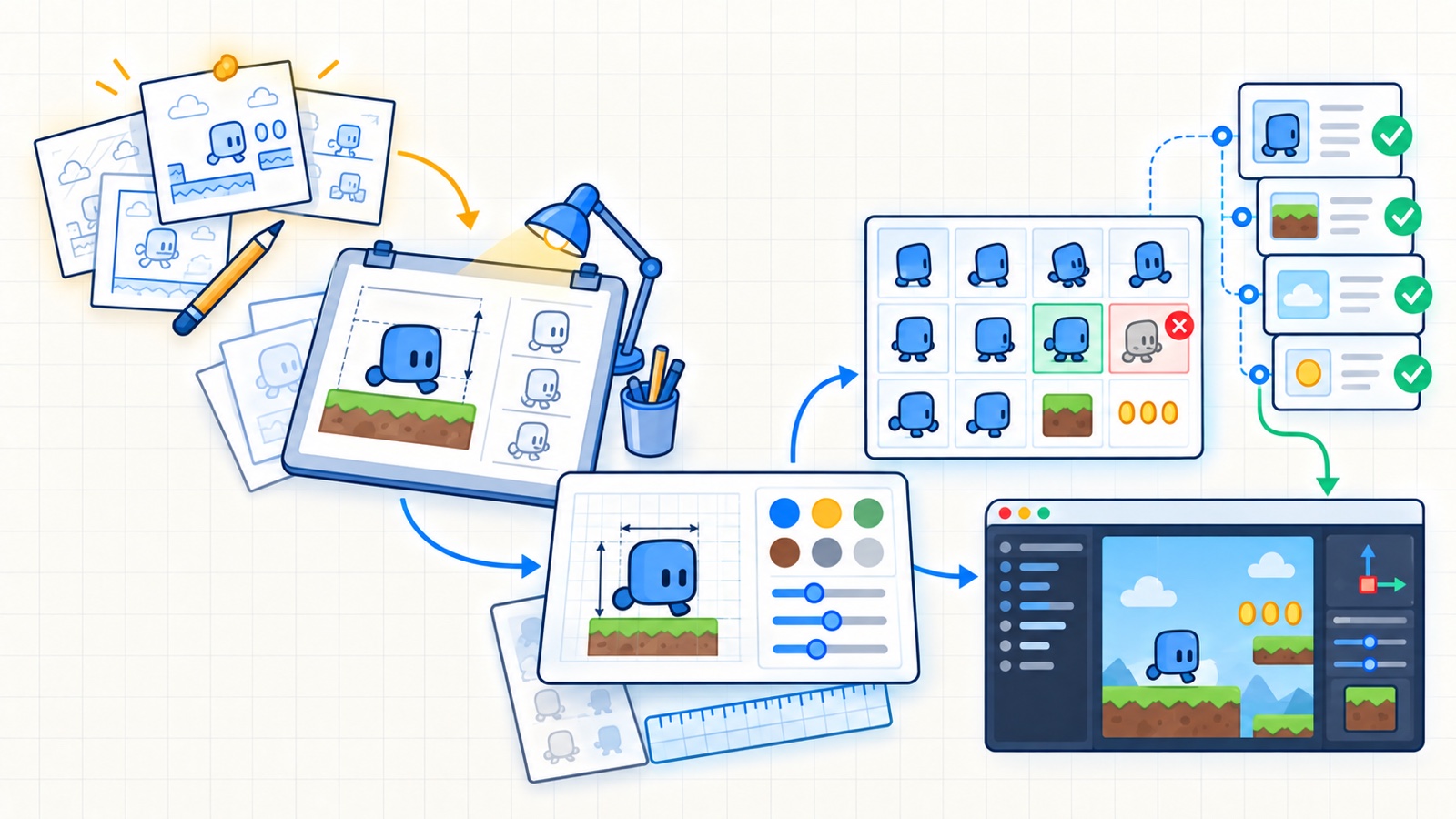
Generating a good-looking character is easy compared with shipping a coherent sprite set. A game needs repeated poses, predictable pivots, clean transparency, readable silhouettes and a license trail that survives export.
AI belongs near the front of that pipeline as a source of candidates. The rest is ordinary asset production: specifications, transformation, validation and review.
Updated
This workflow is tool-agnostic. Generator terms, provenance features and engine import behavior change; record the versions and licenses used for each asset batch.
Tested with
Godot stable asset-import guidance · ComfyUI workflow format · C2PA 2.x
Define constraints the game can test:
| Property | Example contract |
|---|---|
| Canvas | 64 × 64 pixels per frame |
| View | three-quarter top-down |
| Anchor | feet centered at x=32, y=56 |
| Palette | 24 approved colors plus transparency |
| Outline | one pixel, near-black, outside edge |
| Animation | idle 4 frames, walk 8 frames |
| Delivery | lossless PNG, straight alpha, no padding |
Add a reference sheet with scale, camera angle, material cues and forbidden features. A prompt cannot replace this contract because downstream scripts and the engine need measurable properties.
Use image generation for broad exploration: silhouette, costume language, prop families and mood. Select one direction with a human art review before asking for variations.
Do not request a final sprite sheet in the first prompt. Dense grids amplify small inconsistencies: frame boundaries drift, hands change shape and the model may paint guides into the image.
A safer sequence is:
brief -> concept sheet -> approved turnaround -> pose candidates
      -> human cleanup -> palette/size normalization -> engine import
Key takeaway
Consistency comes from locked references and deterministic post-processing, not from repeating “same character” in a prompt. Preserve the approved source and derive every delivery asset from it.
Create one manifest per asset family:
id: character-merchant
generator: recorded-product-and-model-version
workflow: workflows/merchant-v3.json
source_assets:
  - references/merchant-approved.png
human_edits:
  - silhouette cleanup
  - palette normalization
license_review: pending
deliverables:
  - game/characters/merchant_idle.png
  - game/characters/merchant_walk.png
The manifest is not a legal opinion. It is the evidence needed for an owner to review rights, provider terms, source licenses and attribution before release.
Small scripts can reject many broken assets before Godot imports them:
- width and height are exact multiples of the frame size;
- color mode and alpha channel are expected;
- no nontransparent pixel touches a forbidden padding region;
- the number of unique colors stays within the palette budget;
- filenames and animation suffixes match the convention;
- output hashes change only when the reviewed source changes.
These checks do not decide whether animation is good. They keep mechanical defects out of the playtest.
- Define the asset contract and create scale and palette references.
- Generate concepts in a versioned workflow with recorded inputs.
- Approve one direction and freeze its reference sheet.
- Generate pose candidates one motion family at a time.
- Clean silhouettes, anatomy, frame registration and palette by hand.
- Run dimension, alpha, naming and palette validators.
- Import into a dedicated Godot test scene and review at gameplay zoom.
- Record source, human edits, license decision and final hashes in the manifest.
Godot imports assets placed inside the project and creates engine-side derived data. Use a dedicated gallery scene that displays every animation against representative backgrounds at native and scaled resolutions.
Check pivots, filtering, pixel snapping, collision alignment and color contrast. A clean PNG can still look unstable when the camera moves or when two frames use slightly different foot positions.
Keep generated source material outside the runtime asset directory when it should not ship. Only reviewed delivery files should cross into the game’s distributable tree.
Use hand-authored or licensed assets when:
- the style depends on exact frame-to-frame draftsmanship;
- the subject carries cultural or brand sensitivity;
- training-data or source-rights uncertainty exceeds the project’s tolerance;
- a purchased pack already meets the contract at lower total cost;
- the asset will be reused so often that cleanup dominates generation time.
AI assistance is successful when it shortens a controlled pipeline. If it moves uncertainty into legal review, cleanup or animation repair, measure that work honestly.
- Godot importing process — source assets, imported resources and project-folder behavior.
- ComfyUI workflow JSON specification — a versioned graph representation for reproducible generation workflows.
- C2PA specifications — provenance manifests and implementation guidance for created and edited media.