
browser-use
browser-use/browser-use
A Python framework that lets AI agents inspect pages, choose actions and control real browser sessions
121,417 stars13,572 forks
- Python
- ai-agents
- ai-tools
- browser-agent
- browser-automation
- browser-use
About
Open-source Python library for AI browser agents, plus Browser Use Cloud: stealth browsers and a hosted agent API.
My analysis
I Tried browser-use: Giving AI Agents Access to Real Browsers
Hands-on notes on browser-use — how its agent loop drives a real browser, what worked, what did not, and when I would use it.
TIAN NEWS AI
Published Updated 2 min read
Many useful tasks still live behind web pages without an API: comparing prices, filling in forms, collecting data from dashboards. browser-use gives an agent a real browser and lets a language model decide what to click and type. I wanted to know how far that gets you in practice.
Updated
The example API was checked against the browser-use quickstart on September 30, 2026. Pin a package version before using it in production.
Tested with
Python 3.12 · Chromium · browser-use documented API
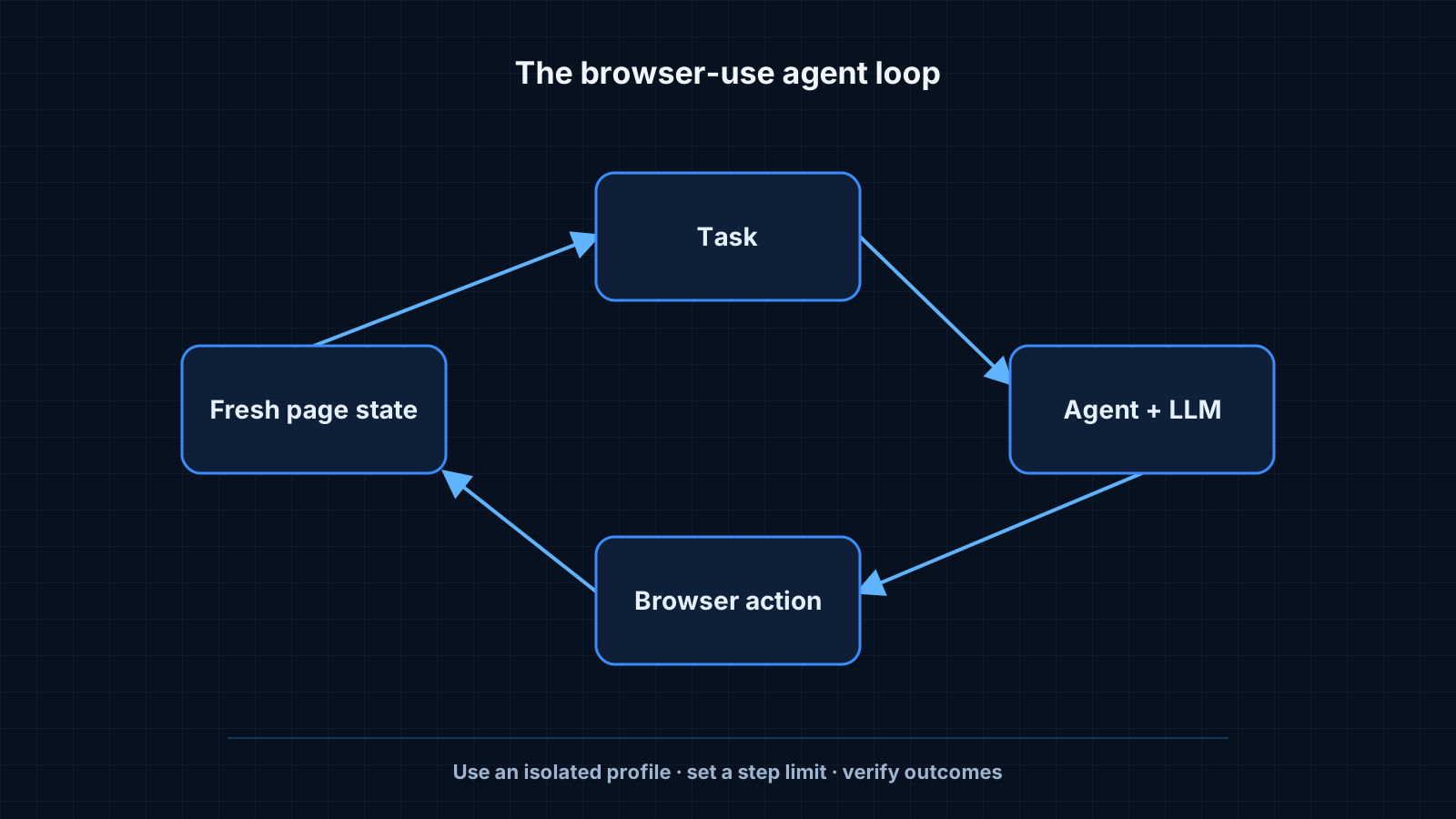
browser-use is a loop around three parts:
- The agent loop keeps the task, the history of steps and the current page state.
- The browser session controls a Chromium instance through Playwright-style automation.
- The LLM receives a compact description of the page and returns the next action.
The important design choice is the page description. Instead of treating the full raw HTML as the prompt, browser-use derives a compact browser state with visible and interactive elements for the model to act on. The exact internal representation is version-dependent, so integrations should rely on the public API rather than element-numbering internals.
I gave it three tasks: find a train connection, collect the release notes of a library and fill in a long feedback form.
- Train search. It worked on the second try. The first run got stuck on a cookie banner that covered the search form.
- Release notes. It worked well. Reading and summarising pages is where the approach shines.
- Feedback form. It filled most fields correctly but chose the wrong option in a custom dropdown that was not a native select element.
An experience report, not a benchmark
These three runs are anecdotal. The task URLs, package version, model settings and traces were not preserved, so the outcomes should not be read as a reproducible success-rate comparison.
Key takeaway
browser-use is strongest at reading and navigating. Complex custom widgets are where it still needs help.
What worked: a clear task description, a starting URL and a step limit. What did not: vague tasks such as "find the best option", which led to long, wandering sessions.
A minimal run needs a task and a model. The rest has sensible defaults.
import asyncio
from browser_use import Agent, ChatOpenAI

async def main() -> None:
    agent = Agent(
        task="Open the Python release page and list the three latest versions",
        llm=ChatOpenAI(model="gpt-4.1-mini"),
    )
    history = await agent.run(max_steps=15)
    print(history.final_result())

asyncio.run(main())
Two details from reading the source are worth knowing:
- Each step re-extracts the page state, so the model always acts on the current page rather than a stale snapshot.
- Failed actions are fed back to the model as part of the history, which is why it often recovers on its own after a misclick.
Sandbox it
The agent can click anything the browser can reach. Run it with a separate browser profile and without saved passwords or payment details.
- browser-use on GitHub — source, examples and issues.
- browser-use quickstart — current installation and model examples.