
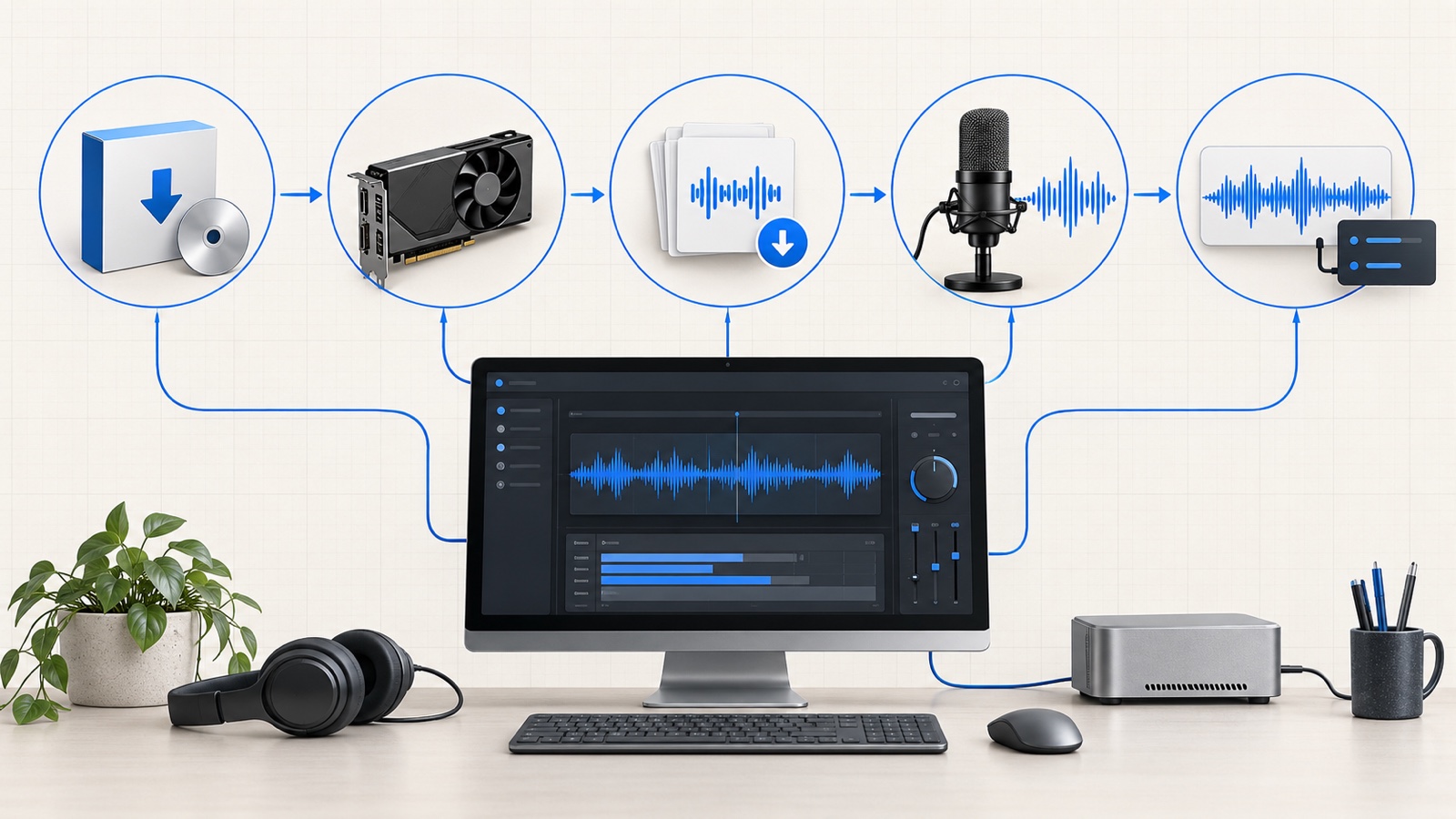
VoiceStudio can clone and design voices, transcribe recordings, dub video, produce audiobooks and expose local APIs. You do not need to configure all of it on day one. The shortest useful path is to install the packaged app, verify the compute device, download one engine, prepare a clean reference, generate a sentence and inspect the export. This guide follows that path before moving into APIs and heavier workflows.
It is the practical companion to our source-level analysis of VoiceStudio. The architecture article explains how the stack works; this one is about getting a repeatable result from it.
Updated
Installation commands, supported platforms, first-run behavior, model downloads, audio-quality modes, API formats, Docker authentication and troubleshooting were rechecked against the official VoiceStudio repository and documentation on October 7, 2026.
Tested with
VoiceStudio main at 28801c8 · app 0.5.7 · stable release v0.5.6
VoiceStudio
debpalash/VoiceStudio
A local-first speech production platform for voice cloning, design, dubbing, transcription, dictation and audiobook workflows
VoiceStudio is the open-source, fully-local ElevenLabs alternative — voice cloning, voice design, video dubbing, dictation, transcription & audiobook creation in 646 languages.
- Python
- ai
- audiobook
113,388 stars12,599 forksSnapshot Nov 18, 2026
If you only need the happy path, use this sequence:
- Confirm that your machine is on a supported operating system and has at least about 10 GB of free disk space.
- Install the stable desktop release from
voicestudio.shor the GitHub Releases page. - Open Settings → About and run the self-check.
- Open Settings → Performance and confirm that the device is
mps,cudaor the expectedcpufallback. - Open Model Catalogue and install the default VoiceStudio/OmniVoice model when prompted.
- In Voice cloning, add a clean 5–15 second reference recording and enter its exact transcript.
- Generate one short sentence twice. Treat the second run as the representative latency measurement because the first run loads and warms the model.
- Export WAV, run Check audio, then listen for clipping, long silence, pronunciation errors and identity drift.
Add source builds, remote networking and long-form jobs only after one local voice produces a clean file reliably.
Key takeaway
The minimum viable VoiceStudio test is not “the app opened.” It is a second-run generation that uses the intended compute device, produces a valid audio file and survives a basic listening and clipping check.
VoiceStudio's documentation defines operating-system, architecture and disk requirements, but it does not publish one universal minimum for RAM or VRAM. That omission is reasonable: the application can run engines with very different memory footprints, and transcription, dubbing and long-form generation can require substantially more memory than one short TTS request.
The hard compatibility floor is therefore more useful than a made-up “8 GB minimum” badge.
| Platform | Documented compatibility floor | Acceleration path | Important limitation |
|---|---|---|---|
| macOS | macOS 13.3 Ventura or newer, Apple Silicon, about 10 GB free disk | Metal Performance Shaders is selected automatically | Intel Macs cannot run the packaged local backend; they can use the UI with a remote backend |
| Windows | Windows 10 or 11 on x64, about 10 GB free disk | NVIDIA CUDA when a supported GPU and driver are present; CPU otherwise | Windows on ARM is experimental and currently uses an emulated x64, CPU-only backend |
| Linux | x86_64 graphical desktop with X11 or Wayland, about 10 GB free disk | NVIDIA CUDA where available; CPU fallback; AMD ROCm is Linux-only and opt-in | Official desktop packages do not currently target Linux ARM64 |
| Docker | Linux amd64, Docker or a compatible runtime, persistent model storage | CPU by default; NVIDIA through --gpus all | There is no native arm64 image, and the container requires an API key even on loopback |
The 10 GB figure is a starting point, not a lifetime storage budget. Runtime files, model caches, projects and generated media all consume space, so retain at least 10 GB of headroom after downloads and allocate more for multiple engines or long-form work.
The following tiers are workflow recommendations derived from the project's device and performance guidance. They are not official universal guarantees.
| Machine | Sensible first workload | What to avoid initially |
|---|---|---|
| CPU-only x64 laptop or desktop | Short TTS samples with KittenTTS, Supertonic-3 or PocketTTS; small Whisper transcription models | Long dubbing jobs, several models loaded together and judging speed from the first request |
| Apple Silicon with 16 GB unified memory | Default VoiceStudio engine, voice cloning, transcription and one job at a time | Heavy browser use and concurrent dubbing when memory pressure is already high |
| NVIDIA GPU with 10 GB VRAM or less | Accelerated single-job generation where the chosen engine fits | Parallel workers; the performance guide recommends serializing jobs in this tier |
| NVIDIA GPU with 16 GB VRAM or more | Batch or API workloads, subject to each engine's memory requirement | Assuming every engine can run concurrently without measuring peak allocation |
| Intel Mac | Desktop UI connected to a remote VoiceStudio backend | Local packaged inference, which is unsupported |
On Windows without a dedicated GPU, VoiceStudio can install a CPU PyTorch build needing roughly 5 GiB instead of about 9 GiB. This saves disk space, not inference time: CPU synthesis is roughly twice as slow as MPS and can trail CUDA further depending on the workload.
Check the engine, not only the application
Model Catalogue exposes the requirements and compatibility of individual engines. A machine capable of launching VoiceStudio may still be unsuitable for a particular TTS, ASR or diarization model. Treat the engine card as the final compatibility check.
Most users should install the packaged stable desktop build. It bootstraps the Python runtime, FFmpeg integration and model management that a source checkout expects you to assemble yourself.
Verify the installer before running it
The official shell and PowerShell installers resolve a published Electron release and verify its exact filename against that release's SHA256SUMS.txt. If you download a DMG, EXE, AppImage or Debian package manually, compare its SHA-256 checksum with the file attached to the same GitHub Release before opening it. For a higher-trust environment, download and inspect the installer script instead of piping it directly into a shell.
curl -fsSL https://voicestudio.sh/install | shThe Linux installer places the AppImage launcher at ~/.local/bin/VoiceStudio. A manually downloaded AppImage can also be started directly:
chmod +x VoiceStudio-Electron-*-linux-x64.AppImage
./VoiceStudio-Electron-*-linux-x64.AppImage
For a Debian package, install the local file with APT so system dependencies are resolved:
sudo apt install ./VoiceStudio-Electron-<version>-linux-x64.debOn macOS, the project currently distributes an unsigned or ad-hoc signed application. If Gatekeeper blocks the first launch, right-click the application and choose Open, or use System Settings → Privacy & Security → Open Anyway after confirming that the file came from the official release.
Run this in PowerShell:
irm https://voicestudio.sh/install | iexThe manual alternative is the .exe installer on the GitHub Releases page. Windows users who want CUDA should update the NVIDIA driver before diagnosing VoiceStudio: the application cannot compensate for a driver stack that does not expose the GPU correctly.
The default installer selects the stable channel. To reproduce a known environment, request an explicit version:
curl -fsSL https://voicestudio.sh/install | sh -s -- --version X.Y.ZBuilding the rolling main branch is also supported, but it is a preview rather than the recommended production path:
curl -fsSL https://voicestudio.sh/install | sh -s -- --mainFor reproducibility, record the VoiceStudio version, engine, model revision, device and generation parameters with important outputs.
The developer path requires Git, Node.js 22 or newer, Bun, Rust/Cargo and the platform's native build tools:
git clone https://github.com/debpalash/VoiceStudio.git
cd VoiceStudio
bun install
bun run setup:api
bun run dev
This path is for contributors and engine-adapter work; it adds a frontend toolchain, Rust compilation and a Python backend environment.
The first launch may spend several minutes preparing the local backend. Do not close the application merely because the main window appears before every runtime task is complete.
Use this verification order:
- Open Settings → About and run the built-in self-check. Fix a failed runtime or FFmpeg check before attempting generation.
- Open Settings → Performance → Device & compute. Look for
mpson Apple Silicon,cudaon a supported NVIDIA system orcpuwhen the fallback is intentional. - Open Model Catalogue and select one engine, preferably the default VoiceStudio engine for the first test.
- Start the download and wait through Resolving, Downloading and Done. The initial default-model payload is approximately 2.3–2.4 GB.
- If you use gated diarization models, larger Hugging Face assets or repeatedly hit anonymous rate limits, add a Hugging Face token in setup. A token is useful but not required for every public model.
VoiceStudio uses the Hugging Face cache. Set HF_HOME or HF_HUB_CACHE before the first download if the models should live on another drive.
If a download is interrupted and the engine remains unavailable, delete its weights through Model Catalogue and reinstall. A partial directory can exist on disk without containing a valid, loadable model.
The desktop self-check confirms the user-facing pieces, while the backend endpoints confirm that other applications can reach the local service. With VoiceStudio running, start with the health endpoint:
curl --fail http://127.0.0.1:3900/healthA successful request returns HTTP 200. Treat the exact JSON fields as versioned implementation detail; the status code is the stable first check. Then inspect the machine-readable speech-service discovery document:
curl --fail http://127.0.0.1:3900/.well-known/voicestudio-speechOpen the backend's /openapi.json endpoint when you need the exact request schema implemented by the installed build. These checks do not prove that a model can generate audio, so finish validation with the short second-run voice test below.
If another process already owns port 3900, the health request may reach the wrong service or the VoiceStudio backend may fail to start. Resolve the port conflict before diagnosing models or GPU support.
Voice cloning is sensitive to its input. Relevant engines accept references up to roughly 75 seconds, but a clean 5–15 second sample is the better first test.
A useful reference has:
- one speaker and no overlapping voices;
- stable distance from the microphone;
- low room noise, little reverberation and no music;
- natural speech rather than whispering or shouting, unless that is the target style;
- no hard cut in the middle of a word;
- an exact transcript, including the words that were really spoken.
Enter the exact transcript. Leaving it empty can trigger automatic transcription and add latency; an incorrect transcript gives the cloning pipeline conflicting evidence.
For a controlled first run, use ordinary punctuation and avoid names, acronyms or code-switching until the baseline voice works.
Use only voices you have the right to reproduce
A local tool does not remove consent, impersonation or disclosure obligations. Obtain permission, keep the source recording and intended-use record, and clearly label synthetic speech where listeners could reasonably mistake it for a real statement.
Open Voice cloning, add the reference audio, enter its transcript and select the language spoken in the reference. Then enter a short target sentence in the generation field.
For the baseline run, keep the defaults:
- default VoiceStudio/OmniVoice engine;
- 16 sampling steps;
- standard 16-bit WAV quality;
- broadcast mastering;
- one short sentence rather than a paragraph;
- no effects or post-generation transforms.
Generate twice. The first request includes model loading and may include CUDA compilation or MPS warm-up; the second better represents interactive performance. Report both cold and warm latency in comparisons.
Run Check audio to detect long silence, volume changes, clipping, empty output and invalid samples. Naturalness and speaker similarity still require listening.
Use a small acceptance checklist:
- The file starts without an unexplained silent delay.
- No syllable is cut off at the beginning or end.
- Loud consonants do not distort or clip.
- Punctuation creates reasonable phrasing.
- The requested language and pronunciation are correct.
- Speaker identity is stable from the first word to the last.
- A repeated run does not introduce a new structural failure.
If the output fails, change one variable at a time so the cause remains observable.
VoiceStudio's quality selector controls the exported PCM precision. It does not improve the model's understanding of the speaker or invent acoustic detail that the synthesis stage did not produce.
| Quality mode | Encoding | Approximate size at 24 kHz mono | Best use |
|---|---|---|---|
| Standard | 16-bit PCM WAV | 2.9 MB per minute | Listening, review and normal delivery |
| For editing | 24-bit PCM WAV | 4.3 MB per minute | DAW processing, repeated gain changes and mastering |
| Original | 32-bit float WAV | 5.8 MB per minute | Preserving the backend's floating-point output for technical work |
At 48 kHz, expect approximately twice these sizes. Sampling steps affect compute and possibly synthesis quality, not WAV size for a fixed duration, sample rate, channel count and bit depth.
Choose Standard unless a downstream editor needs 24-bit or float material. Higher precision preserves processing headroom but cannot repair pronunciation or identity errors.
The exact result depends on the workflow rather than one global “export format” setting.
| Workflow | Available output |
|---|---|
| Desktop TTS and voice cloning | WAV, with Standard 16-bit, For editing 24-bit or Original 32-bit float quality modes |
| OpenAI-compatible speech API | mp3, opus, aac, flac, wav or raw pcm |
| Transcription API | json, plain text, verbose_json, srt or vtt |
| Transcriptions UI | Searchable transcript, copy/export text, segment timing and transfer of text into cloning workflows |
| Stories and audiobooks | WAV by default, with server-side transcoding to MP3, M4B or OGG |
| Dubbing | Rendered video with source/dubbed audio tracks; burned subtitles or an .ass sidecar |
| Voice profile export | .omnivoice ZIP bundle containing profile metadata and reference audio |
| MCP generation | Base64 WAV resources by default; files or both modes can return an audio_url and output path; WAV, OGG or Opus when configured |
OGG and Opus conversion requires FFmpeg. Video assembly, subtitle burning and audiobook containers also rely on a healthy media toolchain, which is why the first-run self-check matters even when simple WAV generation appears to work.
The local backend listens at http://127.0.0.1:3900 by default. OpenAI-compatible clients use /v1 as the base URL. Loopback access does not require a credential by default, but many SDKs require a non-empty API key field, so a placeholder such as local is sufficient.
from openai import OpenAI

client = OpenAI(
    base_url="http://127.0.0.1:3900/v1",
    api_key="local",
)

with client.audio.speech.with_streaming_response.create(
    model="tts-1",
    voice="alloy",
    input="This sentence was generated by a local VoiceStudio backend.",
    response_format="wav",
) as response:
    response.stream_to_file("speech.wav")
VoiceStudio maps familiar OpenAI model aliases such as tts-1, tts-1-hd and gpt-4o-mini-tts to its configured local speech path. Voice names such as alloy are compatibility aliases, not claims that the corresponding hosted OpenAI voice is being reproduced.
The same request works with curl:
curl http://127.0.0.1:3900/v1/audio/speech \
  -H 'Content-Type: application/json' \
  -d '{"model":"tts-1","voice":"alloy","input":"A local API can fit an existing speech client.","response_format":"wav"}' \
  --output speech.wav
For transcription, send a multipart audio file and choose the response shape needed by the next tool. SRT is convenient for an editing timeline:
curl http://127.0.0.1:3900/v1/audio/transcriptions \
  -F file=@recording.wav \
  -F model=whisper-1 \
  -F response_format=srt \
  --output transcript.srt
Keep the backend on loopback for a single-machine setup. Remote access requires an API key, TLS and a restricted network path because generated voices and cloning references are sensitive media.
Docker is useful for a headless workstation, a local service or a machine dedicated to a GPU. The official image is Linux amd64. Create a strong API key even when publishing the port only on loopback:
export OMNIVOICE_API_KEY="$(python3 -c 'import secrets; print(secrets.token_urlsafe(32))')"
docker pull ghcr.io/debpalash/voicestudio:stable
docker run -d --name omnivoice \
  -p 127.0.0.1:3900:3900 \
  -e OMNIVOICE_API_KEY="$OMNIVOICE_API_KEY" \
  -v omnivoice-data:/app/omnivoice_data \
  ghcr.io/debpalash/voicestudio:stable
Watch the first startup and model download with:
docker logs -f omnivoiceOpen http://localhost:3900 after the health check becomes ready. Docker's network boundary prevents VoiceStudio from treating the browser as a trusted loopback client, so the web UI asks for the value of OMNIVOICE_API_KEY and exchanges it for a short-lived browser session. It does not persist the master key. For NVIDIA acceleration, install the NVIDIA Container Toolkit and add --gpus all to docker run.
Use stable for durable setups; latest follows the rolling preview. The named volume preserves database, model and application state across container replacement.
This is usually model loading, CUDA compilation or MPS warm-up. Generate the same sentence again and record cold and warm timings separately.
Check Settings → Performance → Device & compute. If a machine with an intended GPU reports cpu, inspect the driver and engine compatibility before changing text-generation settings. Model Catalogue also indicates whether an engine is active on GPU or has fallen back to CPU.
On CPU-only systems, choose a lighter engine and smaller Whisper model, shorten the text and avoid concurrent jobs.
Some engines, notably IndexTTS and certain CosyVoice paths, may invoke torch.compile during their first synthesis. On GPUs with less than 16 GB of VRAM, compilation can fail with OutOfMemoryError or Triton compilation failed before rendering starts.
Open Settings → Performance and enable Disable torch.compile, then restart the affected generation. VoiceStudio applies TORCH_COMPILE_DISABLE=1 to engine subprocesses and uses eager execution instead. Peak throughput may be slightly lower, but the model avoids the compilation memory spike.
Replace the reference with a clean 5–15 second clip, enter its exact transcript and remove background music or reverb. Confirm the selected language. Test a plain sentence before adding expressive punctuation, names or multiple languages.
Use Model Catalogue to delete the affected weights and download them again. Confirm that the cache drive has room for the full download plus operating headroom. If anonymous Hugging Face requests are throttled, configure a token.
Watch system memory as well as GPU memory. A 16 GB Apple Silicon machine can encounter unified-memory pressure when VoiceStudio, a large browser session and video or dubbing tools run together. Close unrelated memory-heavy applications, process one job at a time and restart the backend after an out-of-memory failure.
Verify that the installer or DMG came from the official project, then use right-click Open or Privacy & Security → Open Anyway. Do not disable Gatekeeper globally to solve one application prompt.
That is expected when the service binds only to 127.0.0.1. Do not change the bind address casually. Follow the remote-access documentation, set OMNIVOICE_API_KEY, terminate TLS and restrict the network path. Test authentication before sending a real voice reference.
Before calling the installation complete, save one compact test record:
VoiceStudio version: 0.5.6
Engine and model: VoiceStudio / OmniVoice, exact catalogue version
OS and device: macOS 13.3+, Apple Silicon, mps
Reference: 10 s mono speech, exact transcript stored
Target: fixed 20-word sentence
Settings: 16 steps, Standard WAV, broadcast mastering
Cold latency: measured after backend restart
Warm latency: measured on second identical request
Output: duration, sample rate, bit depth, file size
Review: clipping, silence, pronunciation, identity, repeated-run stability
Keep the reference private and use only an internal identifier in public benchmarks. Record consent and disclosure for published output, then rerun the same test after application, driver or model updates.
Judge the system against its workload. Slow CPU generation may be adequate for occasional narration but unsuitable for live agents or a daily dubbing queue.
A successful setup is a measured workflow
Install one stable build, validate one engine, generate twice, inspect the actual output and record the environment. Only then add alternate engines, remote access, agents, batch jobs or long-form production.
- VoiceStudio homepage — official product overview and installer entry point.
- VoiceStudio repository — source, README, releases and project documentation.
- macOS installation guide — supported macOS hardware, disk requirements and Gatekeeper guidance.
- Windows installation guide — Windows architectures, CPU fallback and CUDA notes.
- Linux installation guide — AppImage, Debian package and Linux device support.
- Docker guide — official container image, persistence, API-key and GPU configuration.
- Model download guide — catalogue behavior, caches, disk planning and recovery from partial downloads.
- Performance guide — warm-up, device verification, concurrency and memory guidance.
- Audio quality guide — WAV precision modes, file-size estimates and local audio checks.
- API authentication guide — loopback behavior and requirements for non-local access.
- MCP integration guide — resource and file output modes for agent workflows.
- Dubbing export guide — video, audio-track and subtitle export behavior.
- Shell installer guide — checksum verification, version pinning, installation locations and uninstall behavior.
- Agentic voice and OpenAI-compatible API guide — discovery endpoints, model and voice aliases, streaming behavior and response formats.
- Agent installation checklist — device inspection, health verification, model consent and test-generation requirements.